Home  >  Software

November 2, 2026      Software      3DPTimes | Sources: Bambuddy project repository and official website, reviewed November 2, 2026.      6

The open-source, self-hosted platform combines printer monitoring, searchable job archives and scheduling, with optional server-side slicing and remote access through a virtual-printer proxy.

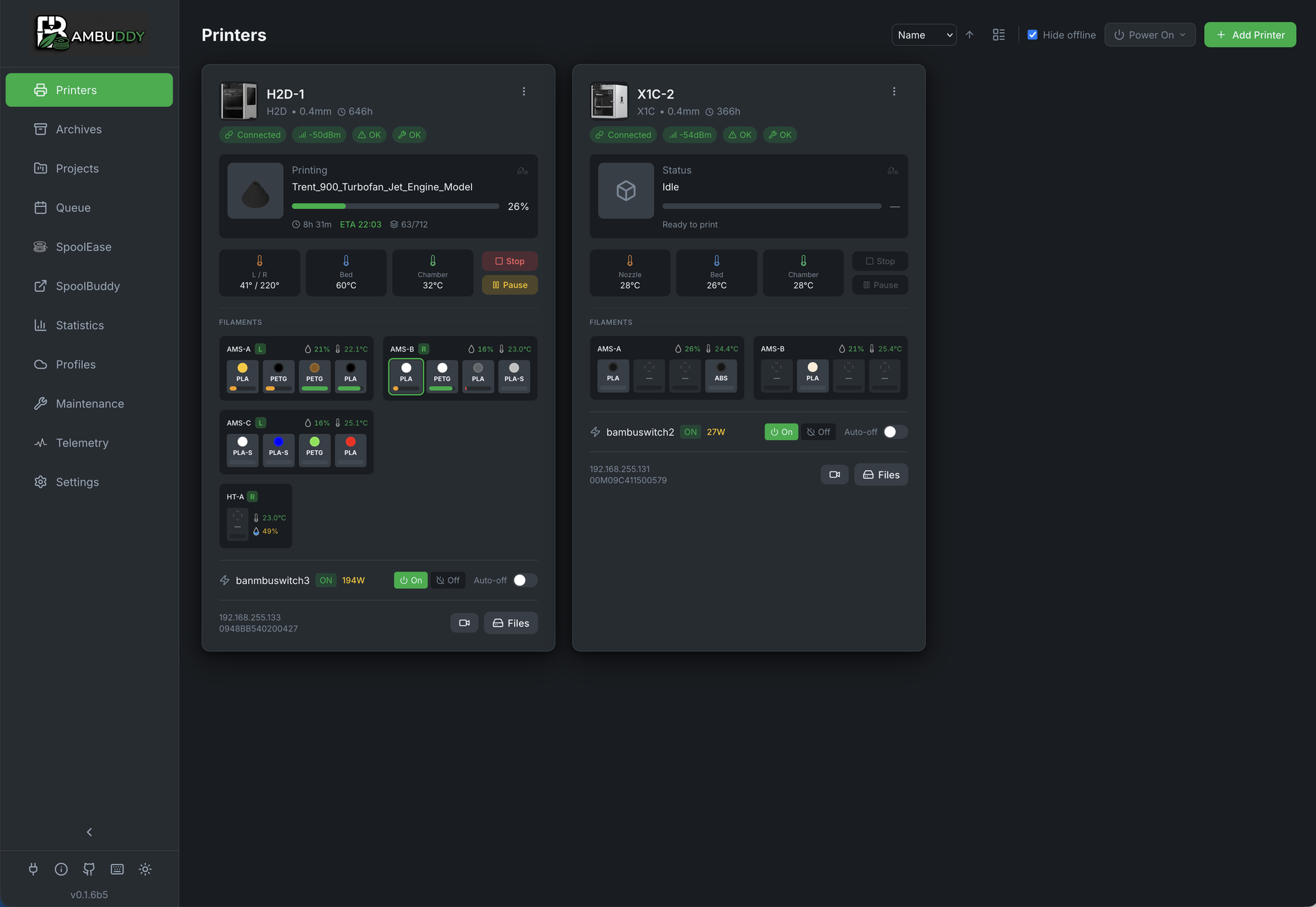
Bambuddy example printer dashboard. Screenshot: maziggy and Bambuddy contributors. Source: github.com/maziggy/bambuddy, AGPL-3.0.
Bambuddy is an independent, open-source management platform that brings Bambu Lab printer monitoring and everyday workflows onto hardware operated by the user. Developed by GitHub contributor maziggy and the project community, it combines a browser-based dashboard with job scheduling and a searchable record of past prints.

Rather than routing routine printer control through the manufacturer's cloud, the platform communicates with machines on the local network. Its documentation offers Docker deployment for compatible hosts, including mini PCs, NAS systems and Raspberry Pi hardware. The appropriate setup depends on the operating system and available resources.

Full local control requires a compatible printer configured for LAN Only and Developer Mode, together with its network address and access code. Standard LAN access without Developer Mode is described as suitable for read-only monitoring. Bambuddy is not affiliated with Bambu Lab.

Screenshot: The project's example printer dashboard displays machine status, temperatures and filament slots. Credit: Bambuddy / maziggy and contributors.

Turning completed jobs into a reusable library

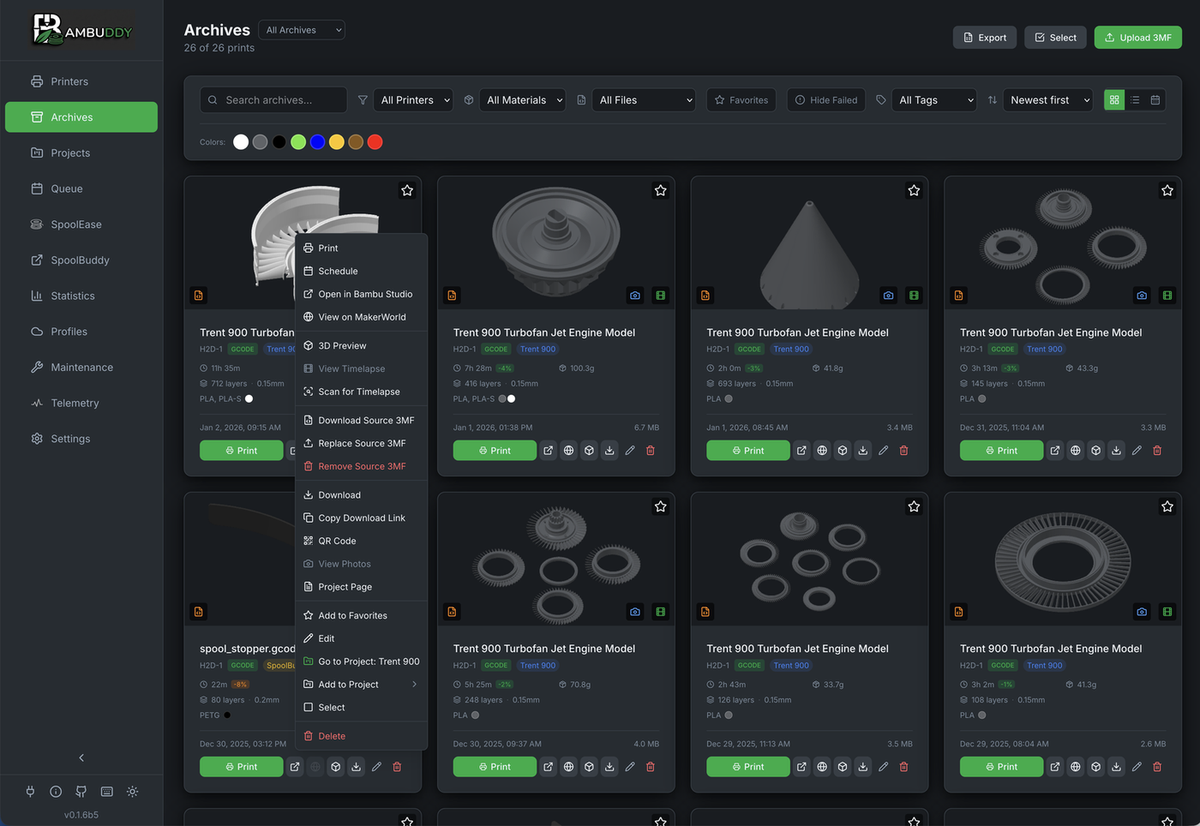
The archive is designed to retain the files and context needed to revisit a print. Records can include 3MF files, metadata, previews and photographs, with search and filtering tools helping users find earlier work. Multi-printer monitoring and queueing bring those records into a shared workflow instead of leaving them in separate desktop folders.

The platform also exposes printer error information in its interface and supports filament tracking. Integrations with tools such as Home Assistant can connect printing to notifications and compatible power-control equipment. These functions depend on the configured integrations; they are not capabilities automatically added to every printer.

Complete archiving also depends on how a job reaches the machine. The project warns that on H2-series printers and the P2S, jobs sent to internal storage through Bambu Studio's Print button may lack the file access needed for thumbnails and detailed material data. The documentation describes alternative workflows using Bambuddy, OrcaSlicer or external storage.

Screenshot: The print archive groups earlier jobs with model previews and actions for reuse. Credit: Bambuddy / maziggy and contributors.

Slicing in a browser and reaching printers remotely

Bambuddy can provide a browser front end for slicing through an optional server-side slicer service. A user uploads a model, chooses the relevant printer and material profiles, and receives a sliced file in the library. The processing runs on the server, so a phone or tablet can initiate the workflow without running a desktop slicer locally.

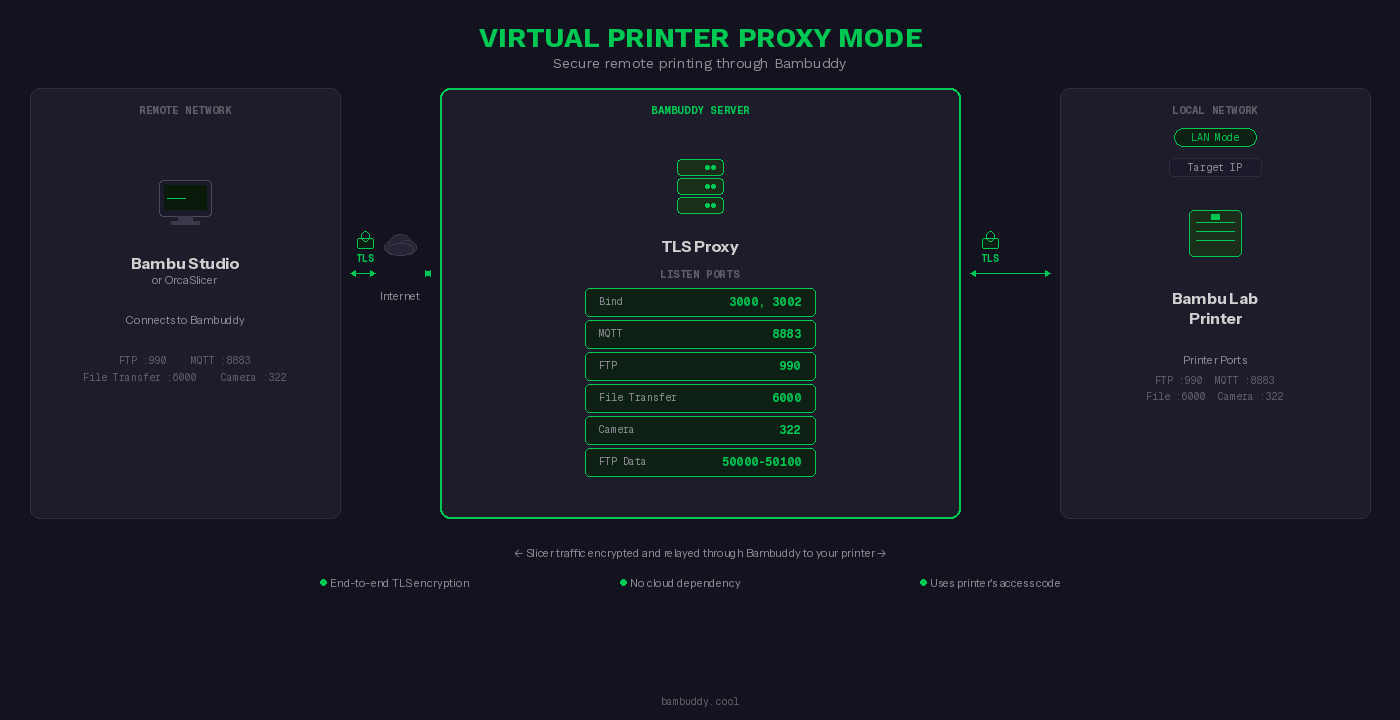
For remote workflows, a virtual-printer mode presents a printer-like endpoint to supported slicers. Proxy Mode relays traffic through the user's Bambuddy server to the physical machine. Optional Tailscale integration supplies private network connectivity without conventional router port forwarding; it remains a private-network tunnel, not the elimination of networking setup.

Certificate configuration and model-specific compatibility still matter. The project notes additional certificate requirements for slicer connections, while its published screenshots may show an earlier interface. Bambuddy is best understood as a configurable local management layer: the available workflow depends on printer firmware, storage, networking and optional services.

Diagram: The project's virtual-printer proxy architecture illustrates the relay between a remote slicer, Bambuddy server and local printer. Credit: Bambuddy / maziggy and contributors.

Sources, license and review date

Primary source: Bambuddy project repository, README and documentation, reviewed November 2, 2026.
https://github.com/maziggy/bambuddy

Official project website, reviewed November 2, 2026:
https://bambuddy.cool/

Project license: GNU Affero General Public License v3.0 (AGPL-3.0).
https://github.com/maziggy/bambuddy/blob/main/LICENSE

Screenshots and diagram: Bambuddy / maziggy and contributors, reproduced unmodified from the project repository. Original image files are available in its docs/screenshots and docs/images directories. Example screens illustrate the software rather than an independently tested installation.

English report prepared by 3DPTimes on November 2, 2026. This article describes the project as reviewed on that date; it does not establish November 2 as its first release date.


©2026 3dptimes.com All Rights Reserved