Home  >  News

May 25, 2026      News      9597

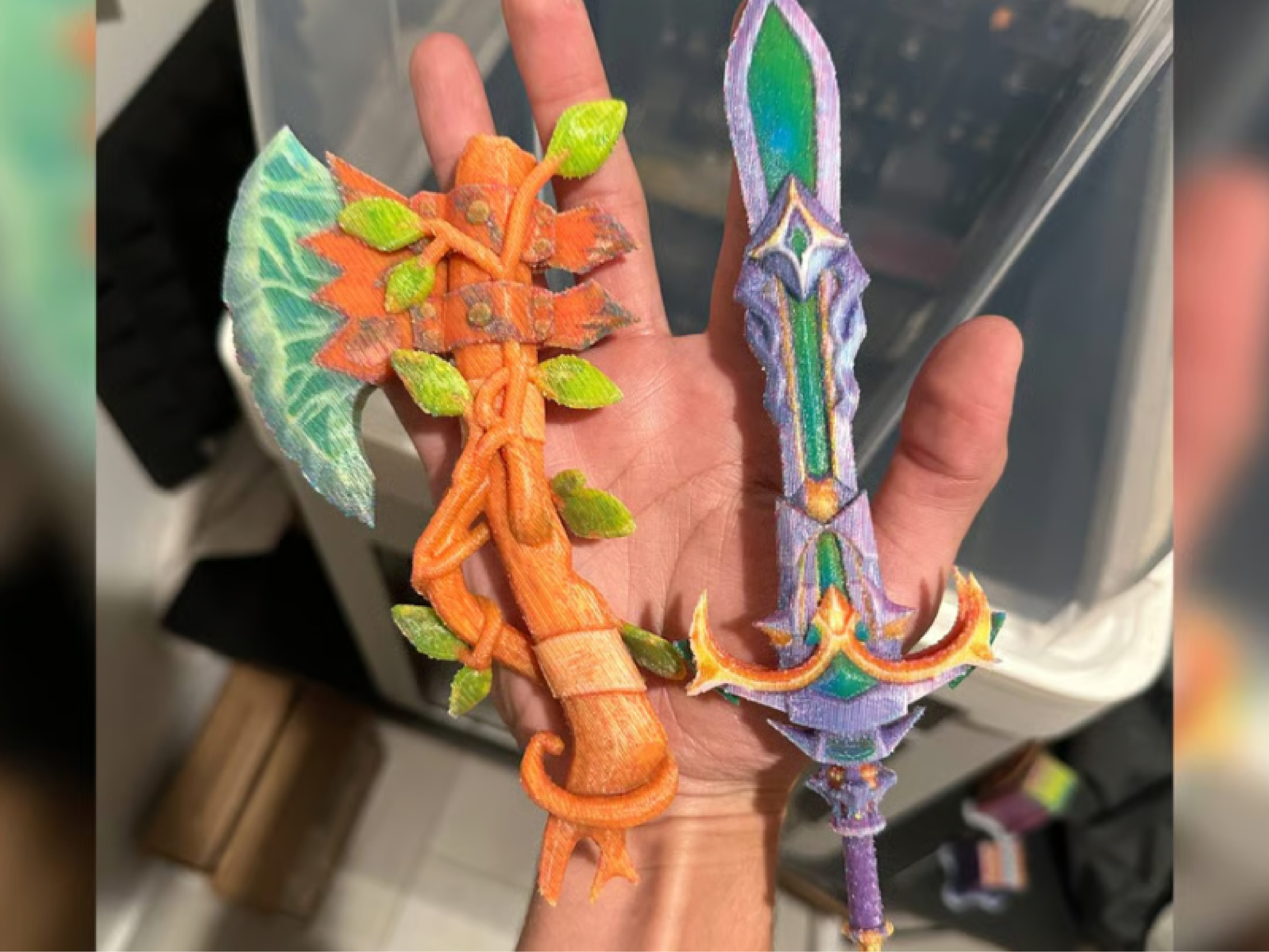
Foronly10, ColorStack software can automatically convert game models or 3D scans into full-color FDM print files, eliminating the need for manual painting.

Want to directly 3D print a character model from a game or a color 3D scan? The new ColorStack software can help you do it. Created by developers Chase Mussey and Javier Herrera, it is priced at just $10 and supports both Windows and Mac.
ColorStack's core function is simple: import an OBJ file with color texture (such as a model from a game asset library or a photogrammetry scan), and the software automatically converts the RGB color data into layer sequences for CMYKW (cyan, magenta, yellow, white, black) multi-color printing. All you need to do is load the generated OBJ file into your slicer, map the corresponding filament colors, and start printing.
Compared to similar tools, ColorStack eliminates the tedious manual painting process within the slicer, handling everything automatically. The latest version 1.2.0 also adds orange, green, and purple channels, enabling more vibrant orange, green, and purple prints.
However, achieving full-color results requires high-end hardware. ColorStack needs a multi-nozzle or tool-changing 3D printer (such as the Bambu Lab H2C, approximately 2,414),otherwise,itwillgenerateexcessivewastematerial.Abasicfour−colorsetupcanusetheSnapmakerU1(around904). Additionally, the layer height must be set very thin (0.08 mm by default) to blend realistic colors.
The software is available on Gumroad. Note: there is a web app with the same name that is unrelated to this software.


©2025 3dptimes.com All Rights Reserved